Showing posts with label book covers. Show all posts

Saturday, June 22, 2013

Illustration Friday: Surveillance


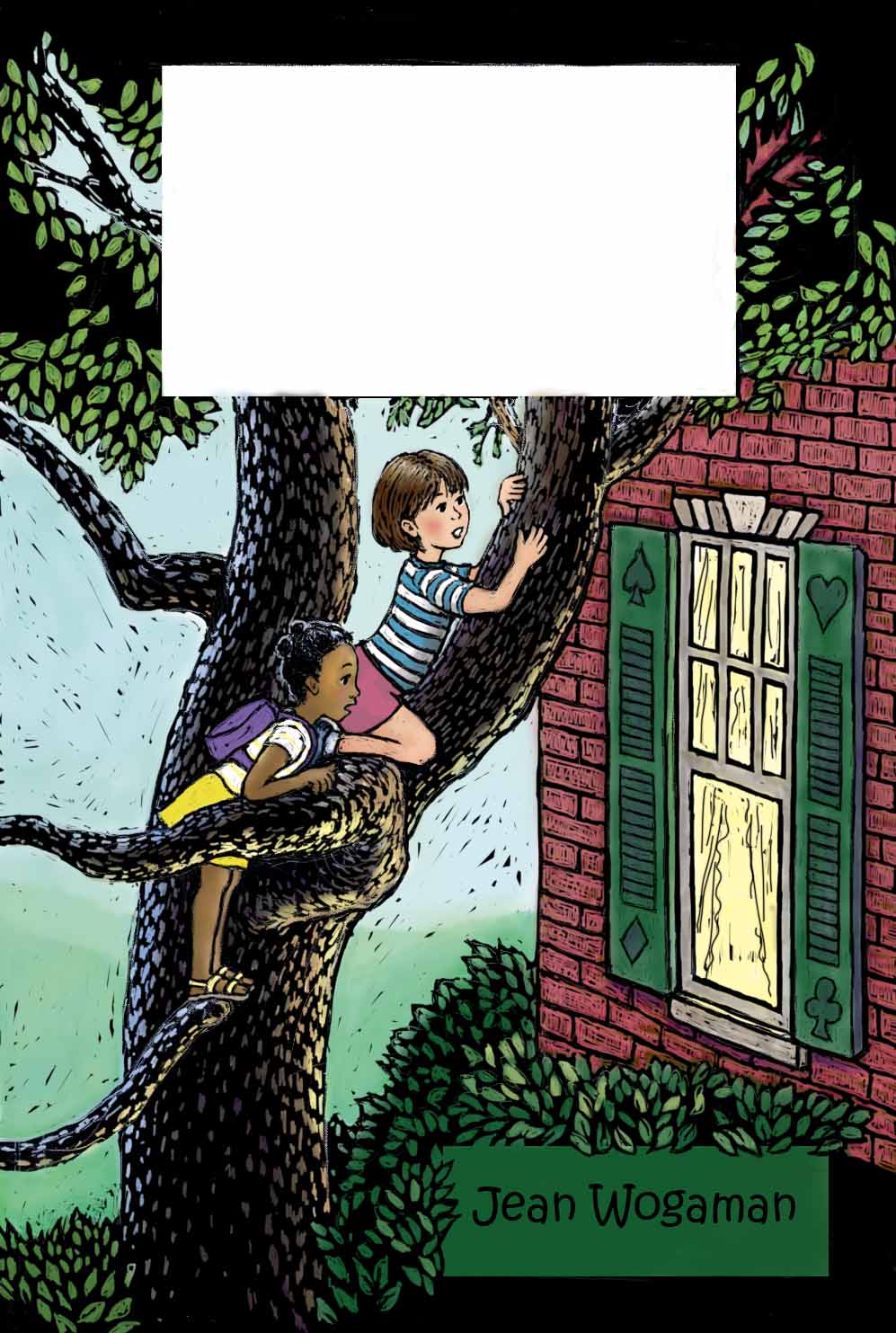
The above image is a Painter 12 pen-and-ink redo of an illustration I have done two versions of before.  I think it fits this week's Illustration Friday topic well.

The previous incarnations were to be sample cover designs for the portfolio, however, neither is up to that standard.  The scene is based on image I have in my head for an early middle grade work in progress.  (This particular scene, which would occur near the end, has yet to be written.)  As you can see, I was exploring (somewhat clumsily) with different media:


I did this first, rather heavy-handed, job using pen-and-ink, watercolor, and colored pencil on Arches hot press paper.  I (inexpertly) touched up the image in Photoshop, then did the (very amateurish) layout also in Photoshop.  

I have gotten bit better with Photoshop since then.  I think that shows a little better in my next stab at the cover:


Here I was going for a scratchboard effect.  I did a pencil sketch, scanned it in, then inverted the black and white. I used the eraser tool to scrape away the black, then added the color to a background layer.  I like the boldness of this style, but the characters need more expressiveness.  The layout is still limited by my inexperience with certain features in Photoshop.  I am hard at work on my InDesign skills, however, so that should be moot point soon.


Tuesday, March 5, 2013

Checking in

Sorry for all the blog silence of late.  I have been hard at work on a commercial project and finishing up revisions on a novel, trying to get it all done before my daughter comes home for her last college spring break. (Oh, my God! I can't believe she's graduating in May!)

Since I don't really have time right now for a proper blog post, I'll share a link to one on the process of illustrating and designing a book cover by Irene Gallo at Tor books.  Tor commissions some of the best artwork in the publishing industry, definitely worth a look-see, and a good read for illustrators and authors interested in learning more about the kind of thinking going on behind cover design.

Tuesday, November 13, 2012

Tweaking . . .

This afternoon I've been working on tweaking the image from my last post. Here it is again:


I want to use it as a sample book cover in my portfolio. I decided it isn't quite up to the standard I want to project.  It's a little too heavy on the dark green.

This is where I love working digitally.

I went back into my original Photoshop document, which I had saved unflattened.  In my "wash" layer, I erased the dark green off the shutters and repainted them with the putty colors of the window frames.  I easily captured the same colors with my color picker tool.  Then I lightened the rectangle in which my name appears by selecting it and filling the selection with a semitransparent light yellow green.  In the scratch board layer, I scraped away some of the weight of the black lines around the window panes with the eraser tool.

Here's how it looks now:


I think the lightening of the window area has created a bit of an illusion that the characters were lightened too.  I didn't touch them this round. Hmm. Interesting effect.  I am happier now.

On another, more exciting note, I have ordered myself a copy of Painter 12 software.  It's on sale half off.  A bargain not to be missed!  The only thing worrying me is that I don't have a super powerful computer.  It's about five years old, running Windows Vista.  When I'm using Photoshop, all other windows are closed.  I optimize the computer after every digital drawing session.  Last Friday I cleaned out old high res files I'll never need again.  Yet, I still run into sluggishness when I'm working with a lot of layers.  I want to be able to draw quickly, without having to wait a second for my line to appear on the screen.  I'm afraid adding another high grade art software will freeze up this old machine.  Maybe Santa will bring me a new PC with a 6+ GB hard drive and 1 TB of memory.  He brought me my Intuos 4 tablet last year.  Here's hoping!

What new art tools are you wishing for?

Saturday, November 10, 2012

Illustration Friday: Tree


This week's Illustration Friday image, "Tree," is a redo of a mock book cover.  As you can see, I am still attempting to perfect scratch board effects in Photoshop.  I feel like I'm making progress.  At any rate, I like how the tree looks.  If I work at a higher resolution next time, I'll be able to get more nuanced facial expressions.  I'm loving how I can work and rework the image without overworking it. Just scrape away mess ups with the eraser tool and try again!

I'm also loving the boldness of the medium.  It's a great improvement over the anemic original (overworked in watercolor and colored pencil):


Tuesday, November 8, 2011

Playing around with Photoshop

For well over a week, I have been busily working at my lessons in the Adobe Photoshop Classroom in a Book.  Today I decided to take a break from the proscribed lessons and play around with the book cover image I created a couple of weeks ago.  I tweaked colors and added borders and text.  Here is the result:


Please don't fall asleep.  At least it's an improvement over this:


But clearly I need to learn a few more things about graphic design and Adobe's tools for generating it.  I've ordered a few more books on the subject.  I've only used Photoshop so far. InDesign is bound to prove more helpful for layout and text matters.

Hello!

 Just checking in to say I am still alive but less active here, obviously.  You can find my more recent art posts on social media, especiall...